Real Screens
Shots from the working system
Not mock-ups — taken from the GutePOS tour screens
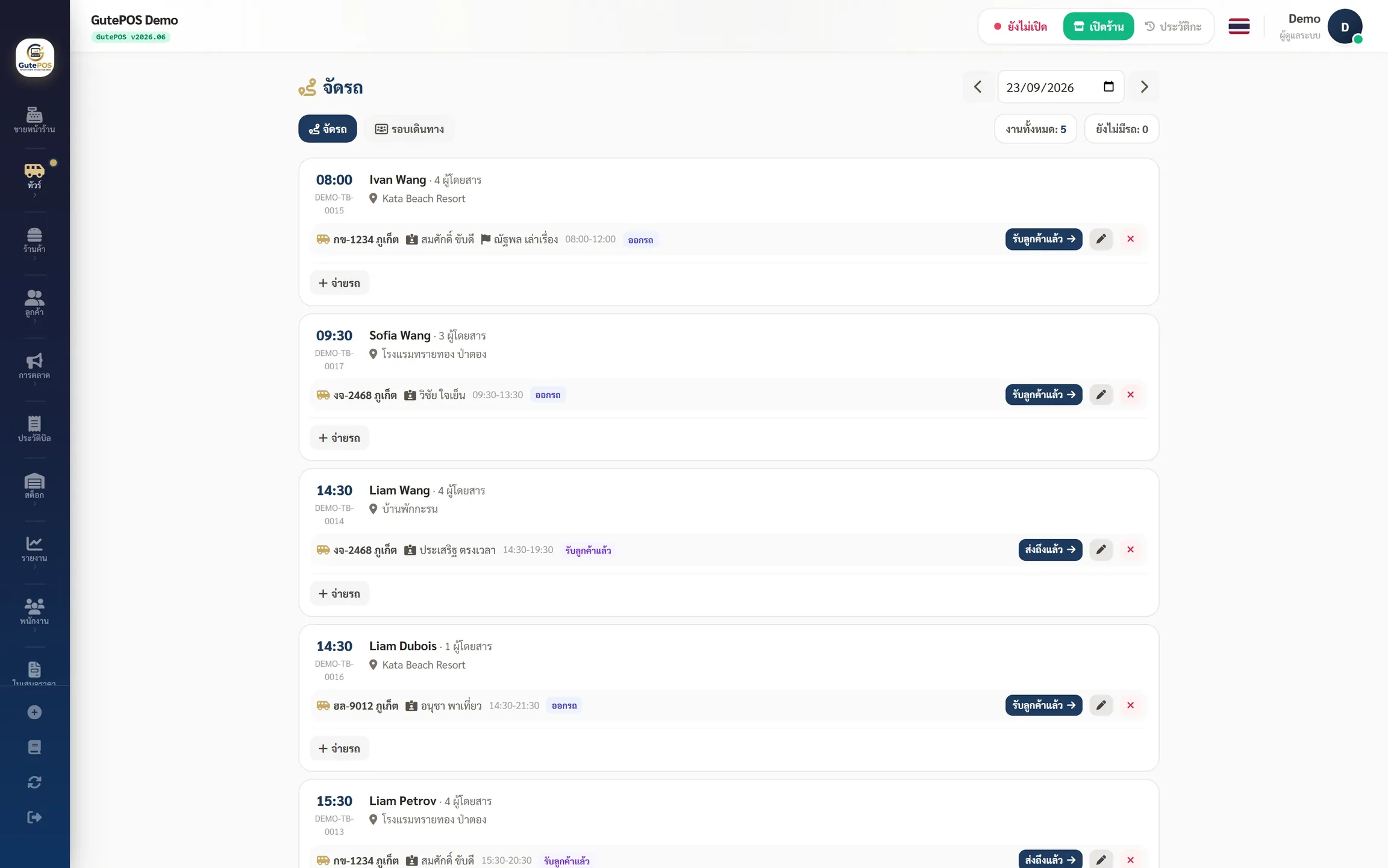
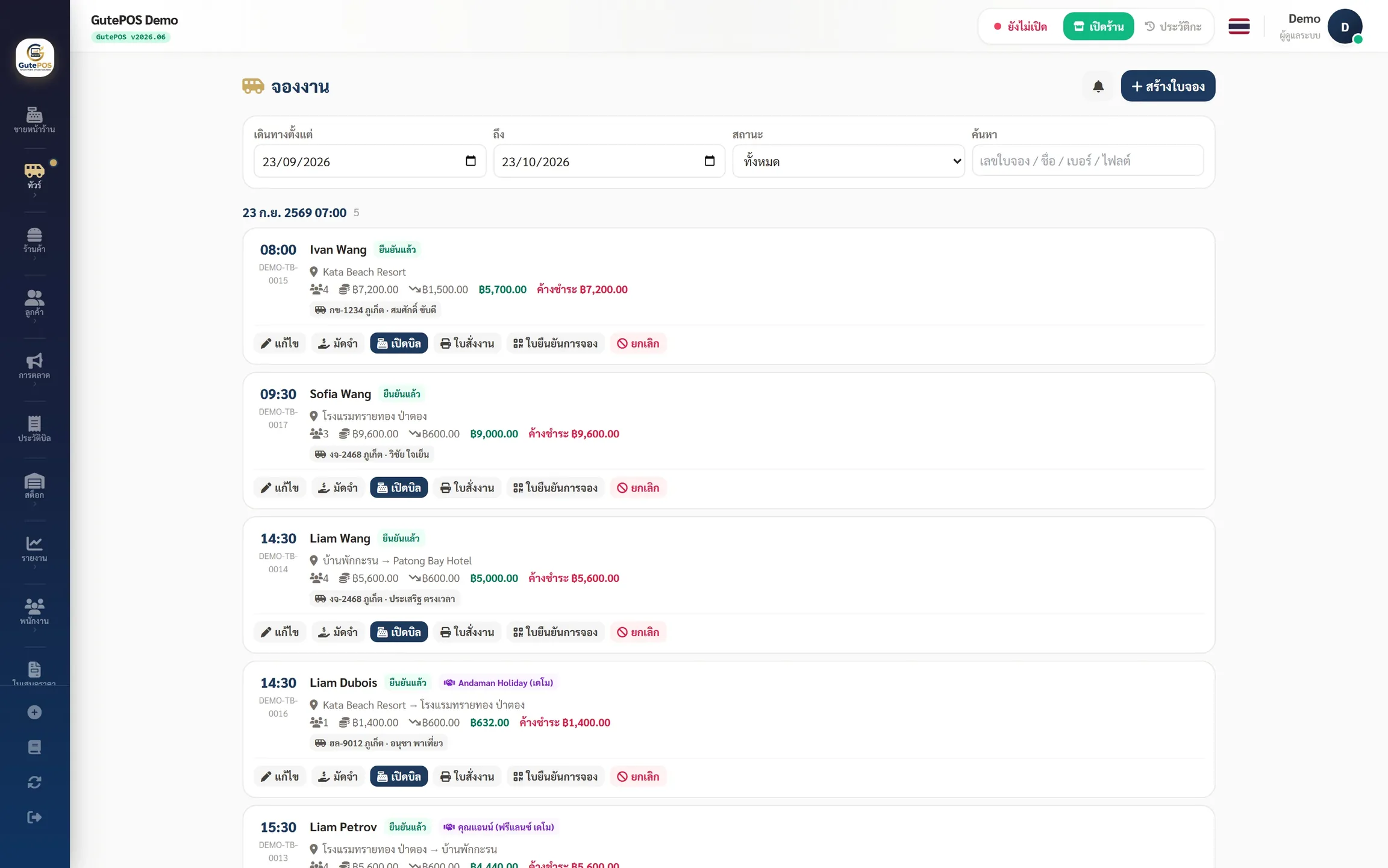
Every booking keeps the sale date apart from the travel date — a daily dispatch board shows which van and which driver is free, so no job is double-booked, plus net rates per agent and what each one still owes. Resell someone else's tour and you also track the cost and what you owe each supplier
or See the sample tour branch — no sign-up
Bookings are scattered across chat threads — you only find the missed one, the wrong date or the double-booking on the day of travel
Dispatch runs on memory — one van gets two jobs at the same hour, and the driver does not know who to collect, when or where
You sell through agents at net rates and pay a cost when you resell a tour — at month end you cannot say who owes what, or which route actually made money
A booking holds the sale date apart from the travel date separately, along with pick-up and drop-off, the meeting time, the number of passengers and the contact's own name and phone — so it works even on the entry plan, which has no customer database
Open it and see the whole day on one screen — assign a van, a driver and a guide job by job, seeing at a glance who is free. Nothing to remember (Pro and up)
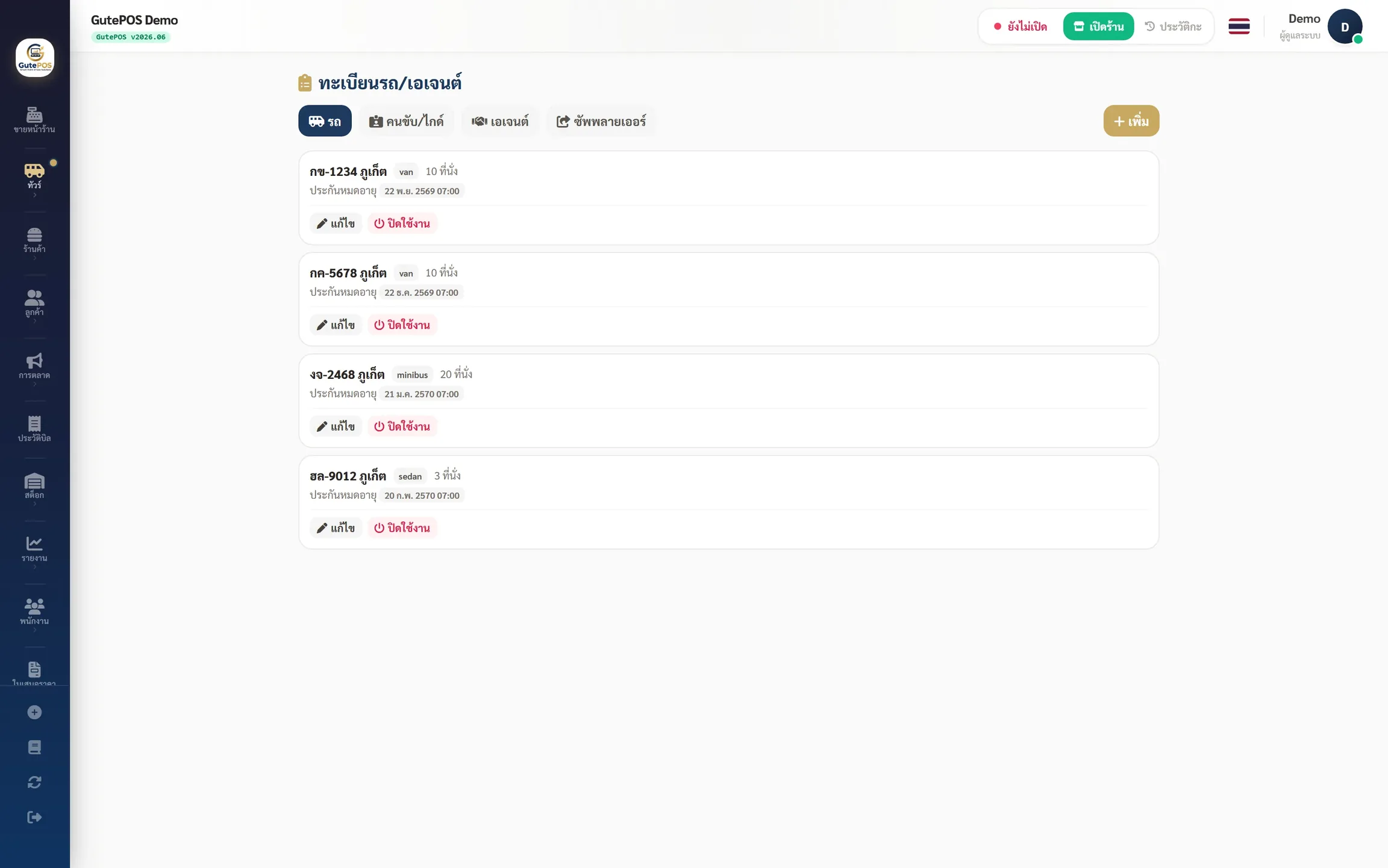
Keep your vans and their seat counts, your drivers and guides, and the agents and hotels that send you work. Set net rates or a % commission per agent, with sales, outstanding balances and a monthly summary for each agent (Pro and up)
Attach a supplier to the booking and record the costandconfirmation number from the supplier . The system totals what you owe each supplier — you do not need vans of your own (Pro and up)
Opendepartures per day and the system counts the seats left for you, gathers the passengers from every booking on that departure, and prints a manifest for the driver
Issue a booking confirmation print or save as PDF to send to customers right away, with aQR for check-in scanning when boarding (use a QR scanner or type the code from the voucher) — see who has arrived and who hasn't without a roll call
Send a reminder before the travel date by email or LINE , choosing the channel per shop (Email: set up the shop's outgoing email first · LINE: only member customers who have linked LINE with the shop; the membership system starts on the Standard plan)
A driver opens their own jobs on a phone — pick-up point, time and passengers for the jobs assigned to them, with no other customers' details and none of the shop's takings (Pro and up)
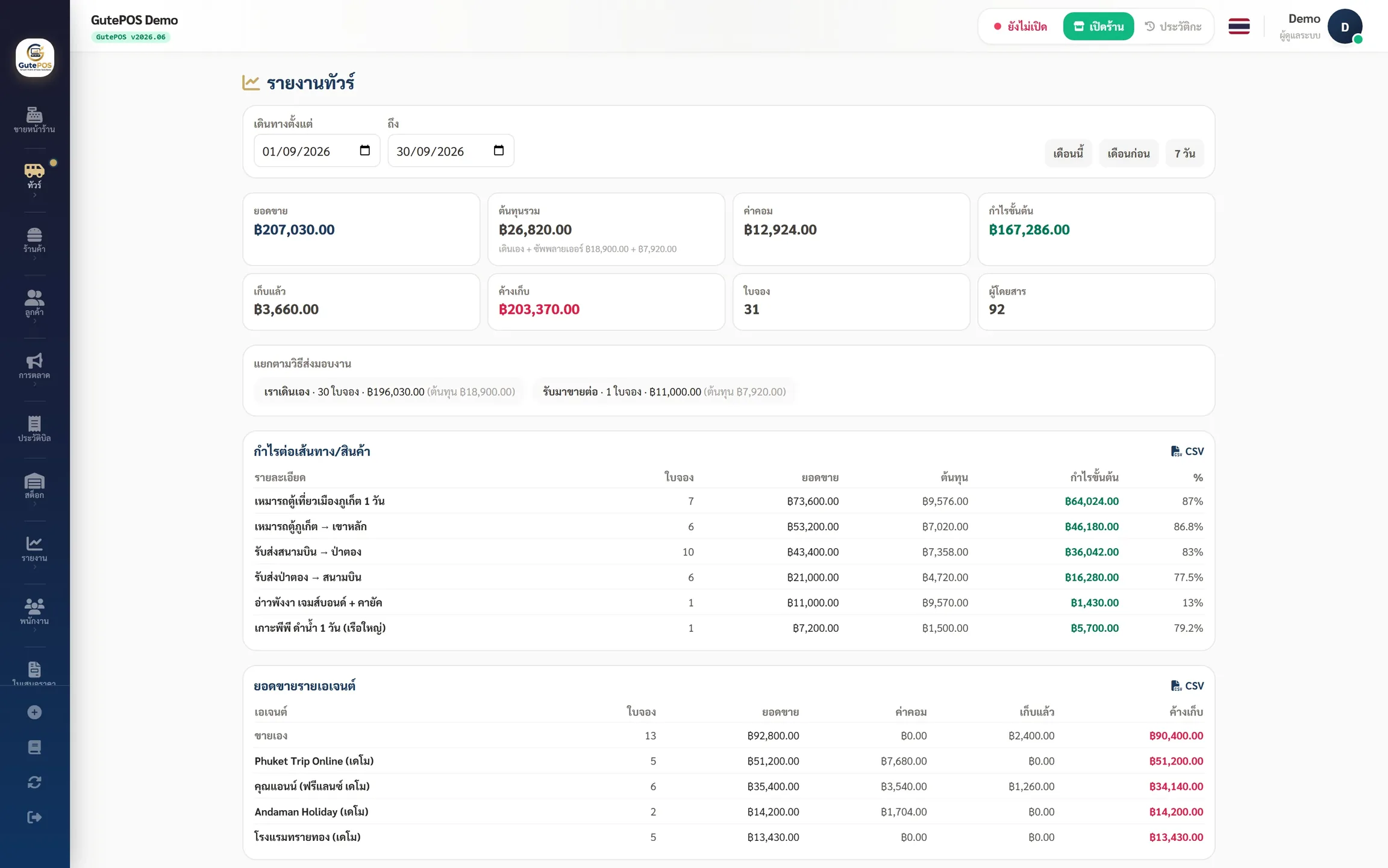
See profit per route , totals by agent andload factor (seats actually sold per departure) (available on every plan) (Pro and up)
Everything above is in the working system — it runs alongside the same GutePOS checkout, receipts, tax invoices and reports
Not mock-ups — taken from the GutePOS tour screens
Same pricing for every business type · 30-day free trial, no credit card required, cancel anytime
For tour / transfer companies just getting started
For companies with regular customers / several points of sale
For established companies with several branches
For chains and franchises
For enterprises and large chains
Need more? Extra checkout points ฿290/point (Starter) · ฿390/point (Standard) · Multi-Branch Pack adds 2 more branches for ฿590/month
Yes — link suppliers to bookings, record cost and the supplier's confirmation number, and the system totals what you owe each supplier; the dispatch board is optional (suppliers and dispatch board: Pro plan and up)
You can start from the ฿590/month plan — bookings and confirmations with QR check-in are on every plan, LINE reminders start at the Standard plan (฿1,290), and the dispatch board, driver page, agents and outstanding balances, suppliers and profit-per-route reports start at the Pro plan (฿2,990)
Yes — each branch can have its own business type from the Pro plan up. One branch is the restaurant, another is the tour desk, their sales stay separate, and you still see every branch in one report
No — the driver and guide screen shows only the jobs assigned to that person, never other bookings or the shop's takings

All-in-one restaurant Cloud POS
Install a Local Server in your shop and keep selling when the internet is down